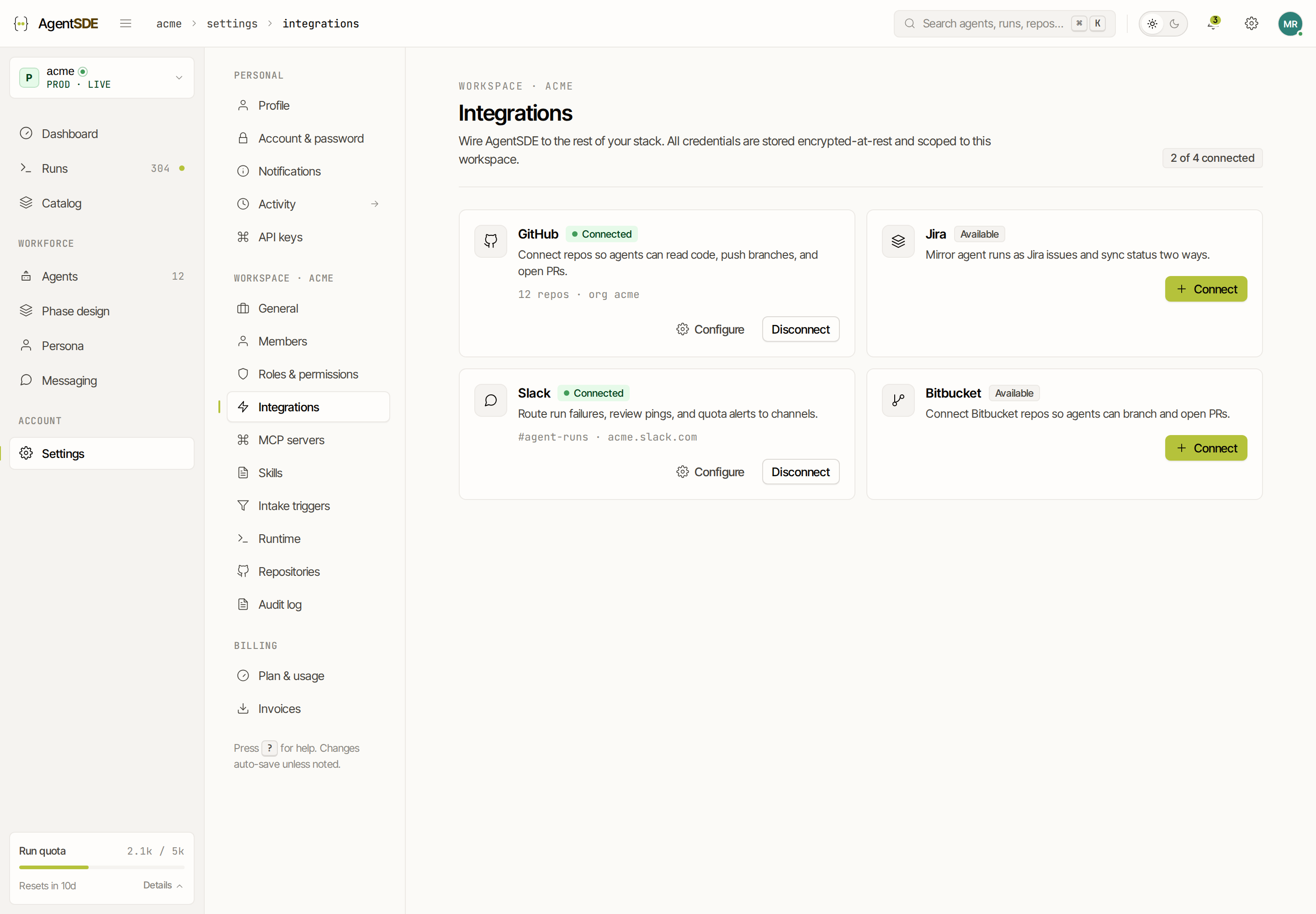
Bitbucket
Connect a Bitbucket workspace so agents can read code and open pull requests there. Bitbucket is where the code lives, not where the work comes from · pair it with an issue tracker so agents have something to pick up.
#Bitbucket is not an issue tracker
This is the one thing to get right first. AgentSDE uses Bitbucket for repositories and pull requests · it does not read issues from Bitbucket. A Bitbucket connection on its own gives an agent a place to write code, but no work to start from.
So pair the workspace with a real issue tracker · Jira is the natural fit. The issue lives in Jira, the code and pull request live in Bitbucket, and AgentSDE joins the two. The Bitbucket connection contributes repositories, pull requests and pipeline signals; the tracker contributes the work.
#Grant the workspace
Bitbucket uses OAuth (3LO) · you authorise AgentSDE on a Bitbucket workspace once, and it receives a token scoped to what you approved (not your password).
Start from Integrations
Settings → Integrations → Bitbucket sends you to bitbucket.org to authorise the workspace.
Approve the access
In plain terms AgentSDE asks to: read and write repositories and pull requests, register a webhook, identify the account, and stay connected in the background. The underlying scopes are repository, pullrequest, webhook, account and offline_access.
Select repositories
The workspace grant is made once and covers every repository you select inside it.
#Pull request conventions
Agents open pull requests the same way as on GitHub · from their own branch, requesting the reviewers your workspace requires. Branch protection and required checks apply to an agent’s pull request exactly as they do to a person’s.
#Pipelines are read-only
AgentSDE can see Bitbucket Pipelines results but cannot drive them. A phase can react to the fact that a build failed, but an agent cannot start, stop, or restart a pipeline for you · that stays under your control.