GitHub
Connecting GitHub installs the AgentSDE app on the organisation that owns your repositories. You choose which repositories it can touch, and the access it asks for is fixed and shown to you · nothing is hidden and nothing widens later without you seeing it.
#Why it is an app, not a token
AgentSDE connects through a GitHub App, not a personal access token. That distinction matters:
- An app belongs to the organisation, not to one person · it keeps working when whoever set it up leaves, and agents act as the app rather than as a human’s account.
- An app’s permissions are declared once and fixed. GitHub shows the exact list at install time, and AgentSDE cannot quietly expand them afterwards. The only thing you change later is which repositories the app can see.
That is why the console shows the granted access read-only · the honest answer to “what can this thing do to my code” is a list you approved, not a setting AgentSDE can turn up.
#Install the app
Open Integrations
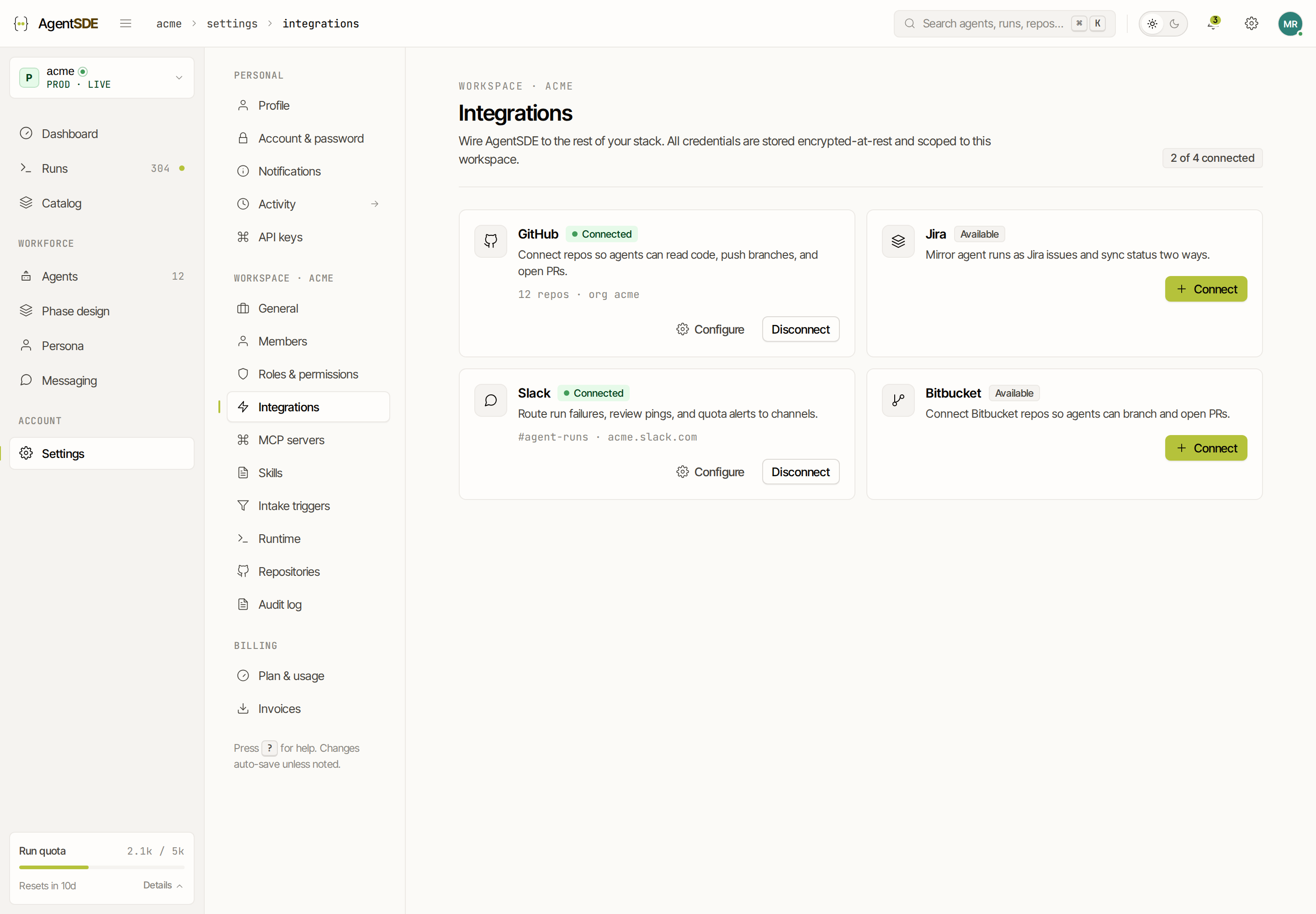
In the console, open Settings → Integrations and choose GitHub. AgentSDE sends you to GitHub’s install screen for the agentsde app.
Approve on the organisation
Install the app on the organisation that owns the repository. Installing an app is an owner-level action · if you are not an owner, GitHub routes the request to one, and an owner approves it once for the whole organisation.
Land back connected
GitHub returns you to Settings → Integrations, where GitHub now shows as Connected. From here you pick repositories.
#Choose repositories
The app only ever sees the repositories you grant it · this is the main control you have, and it is worth using deliberately. Grant the narrowest set that lets you get value · a single repository is enough for a first run. Because repository access is part of the GitHub install (not a separate permission), you can widen or narrow the allowlist any time in Settings → Repositories without re-authorising and without an owner approval.
An agent can only read, branch on, or open pull requests against repositories in this allowlist. Everything outside it is invisible to AgentSDE, even though the app is installed org-wide.
#What the grant allows
The app requests only the permissions it needs to read work and open pull requests. Here is each one and what it actually lets an agent do:
Notably absent: the app has no administration permission and cannot change your branch protection, settings, or membership.
#What AgentSDE watches for
Installing the app also subscribes it to a set of GitHub events · these are how AgentSDE hears that something happened, so it can react. Subscribing to an event is not the same as acting on it: nothing starts a run except the intake triggers you configure. The events, and why they matter:
- Issues and Issue comment · so the
in-refinementlabel or an/agent startcomment can start a run. - Pull request, Pull request review and Pull request review comment · so an agent can pick up review feedback and follow up.
- Check run and Check suite · so a phase can react to CI, for example a trigger that fixes a failed build.
#Branch protection stays yours
An agent is an ordinary contributor. It works on its own branch and opens a pull request like anyone else · your branch protection, required reviewers and required status checks all apply to it unchanged. Because the app has no admin permission, there is no path by which an agent merges to a protected branch, or relaxes a rule, on its own.
#Disconnect
Removing the app from the organisation in GitHub, or choosing Disconnect in Settings → Integrations, revokes access immediately · in-flight runs stop and nothing further is pushed. Reconnecting is the same install flow.