Run anatomy & statuses
A run is one issue carried through one pinned phase design · nothing more. Everything you see on the Runs board and inside a run’s detail is built from that one idea: a piece of work, moving through a fixed set of phases, each leaving something behind and each costing real money. This page names every part and every state a run can hold, so the board reads like a story instead of a wall of labels.
#What a run is
When something starts a run · an intake label, an /agent start comment, a peer phase · AgentSDE takes one issue and threads it through one pinned phase design. The design is fixed at the moment the run begins, so a run is a stable, reproducible thing: the same issue and the same phases, start to finish. Change the design later and only new runs pick it up.
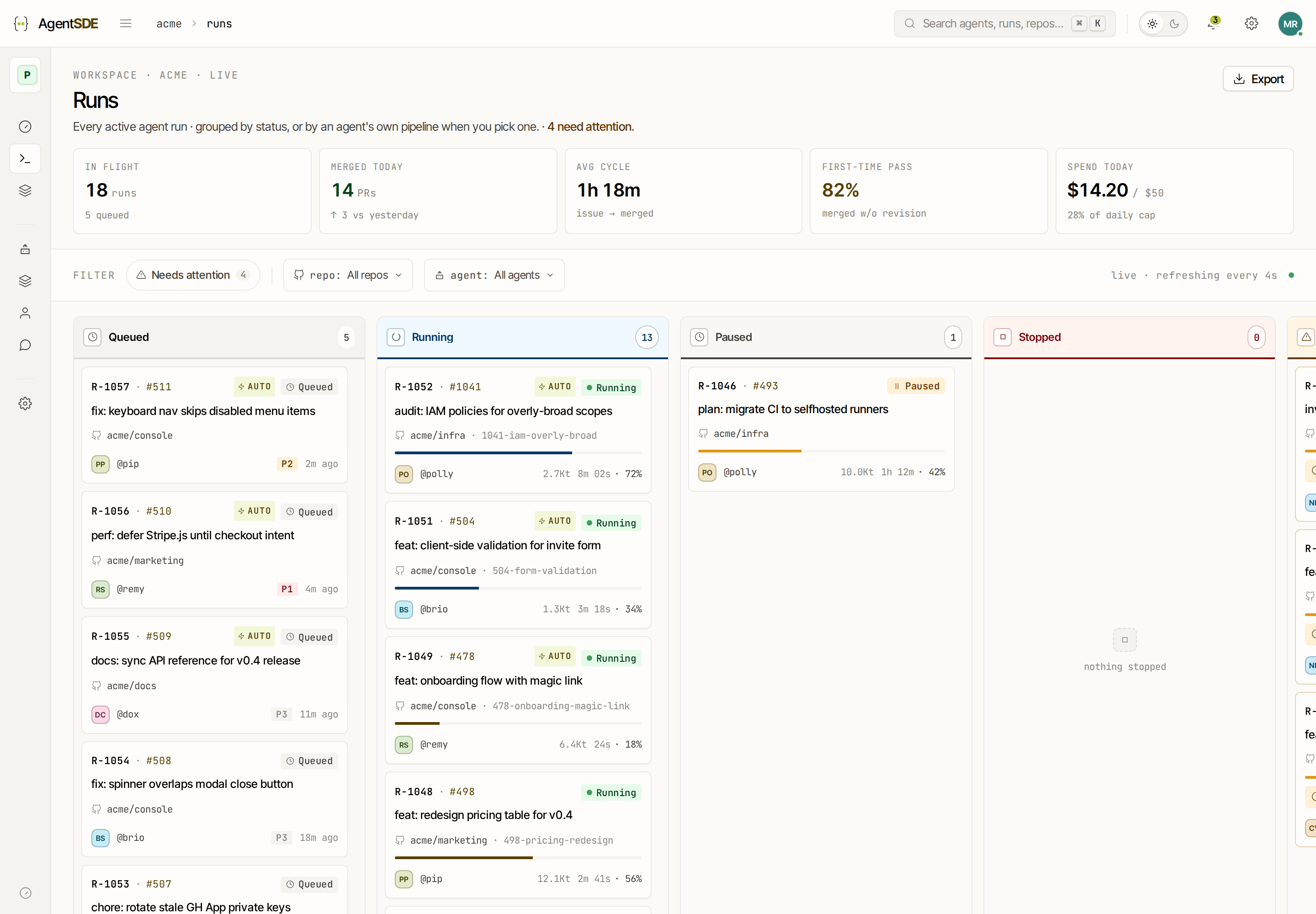
The Runs board is the top-level view of all this work. It groups runs by status, so a glance tells you what needs a human, what is moving on its own, and what is done.
#The seven run statuses
A run always holds exactly one status. These are the states the board renders, in the order a healthy run moves through them:
The one worth pausing on is stopped. It is a separate terminal state precisely so you can tell “someone chose to stop this” apart from “this broke.” A stopped run carries no error · it simply ends where a person decided it should. That distinction is why the board never buries a deliberate stop in the failure pile.
shipped, failed and stopped are terminal · the run is over. queued, running, paused and needs_input are in-flight · the run is still yours to steer, and the stop, retry, restart controls act on these.
#Inside a run · phases and attempts
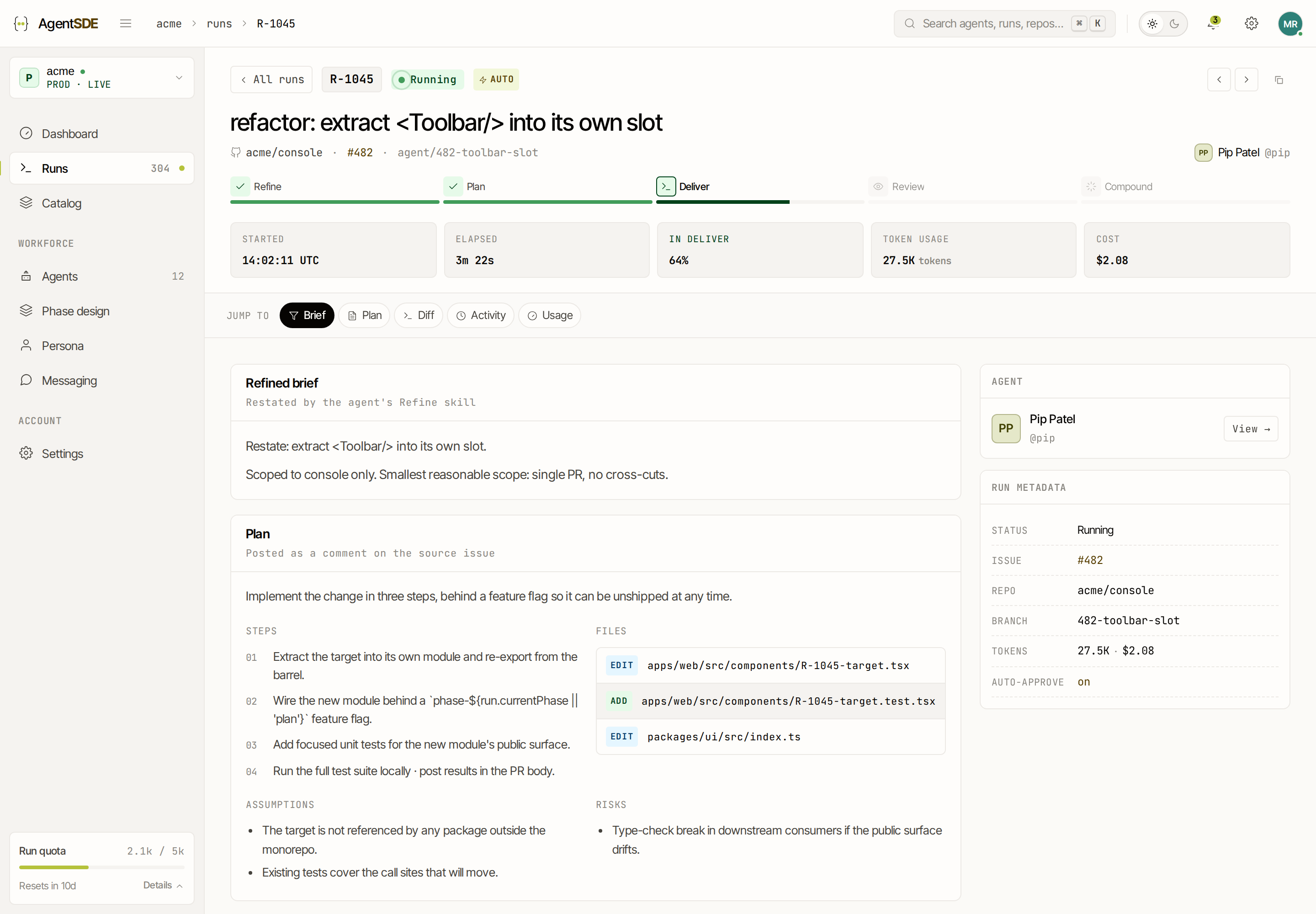
Open a run and you see its phases laid out in order. Each phase is a step in the pinned design · refine, plan, implement, review, compound · and each one records its own progress independently of the run’s overall status.
Under the hood, every phase execution is a row in task_phase_runs, and each row holds one of five phase statuses:
A phase attempt is a single execution of one phase · one row. If you retry a phase, AgentSDE does not overwrite the old row · it writes a fresh row with a higher attempt number (attempts count from 1). So a phase that failed once and succeeded on retry keeps both records: attempt 1 failed, attempt 2 complete. The history stays intact, and you can always see what happened the first time.
#What each phase leaves behind
A phase is not just a status · it produces an artefact you can open and read on the run detail. This is where a run becomes reviewable: instead of trusting that an agent did the work, you read what it actually produced at each step.
Which artefacts appear depends on the phases in your pinned design · a design without a review phase simply has no review artefact.
#Cost accrues per phase
Every phase that runs a model costs real US dollars, and AgentSDE shows that cost per phase on the run detail. The number is not an estimate · the platform computes it from a price table keyed by model (a per-million-tokens rate for input and output), applied to the tokens each phase actually consumed. A more expensive model, or a phase that reads and writes more, costs more · and you see exactly where.
Cost accrues as each phase runs, so a run’s total is the sum of its phases so far. That per-phase cost is not just for display · it feeds the two spend caps that keep a tenant safe:
- Environment daily cap · the total an environment may spend in a day.
- Tenant monthly cap · the ceiling across the whole tenant for the month.
Because cost is attributed per phase, a run that looks expensive tells you which phase drove it. A costly implement phase and a cheap review phase read very differently · the breakdown, not just the total, is the useful number.